Since 2020, our team focusing on eXtended Reality (XR) at Deloitte Digital Belgium has been exploring the edges of immersive technology: experimenting, prototyping, and learning our way through a rapidly evolving landscape. With approximately 20% of our time dedicated to Research & Development, we’ve built a rich body of work that spans both client-driven projects and internal Proofs of Concept (PoC), reflecting not only technological progress but also the team’s growing intuition about what meaningful, human-centered XR can be.
This article is part of a chronological series that retraces the hidden side of that R&D journey: each article highlights one POC: the context in which it was created, the technology choices behind it, the challenges we faced, and the insights that shaped our next steps. Together, these stories reveal how experimentation fuels capability building.
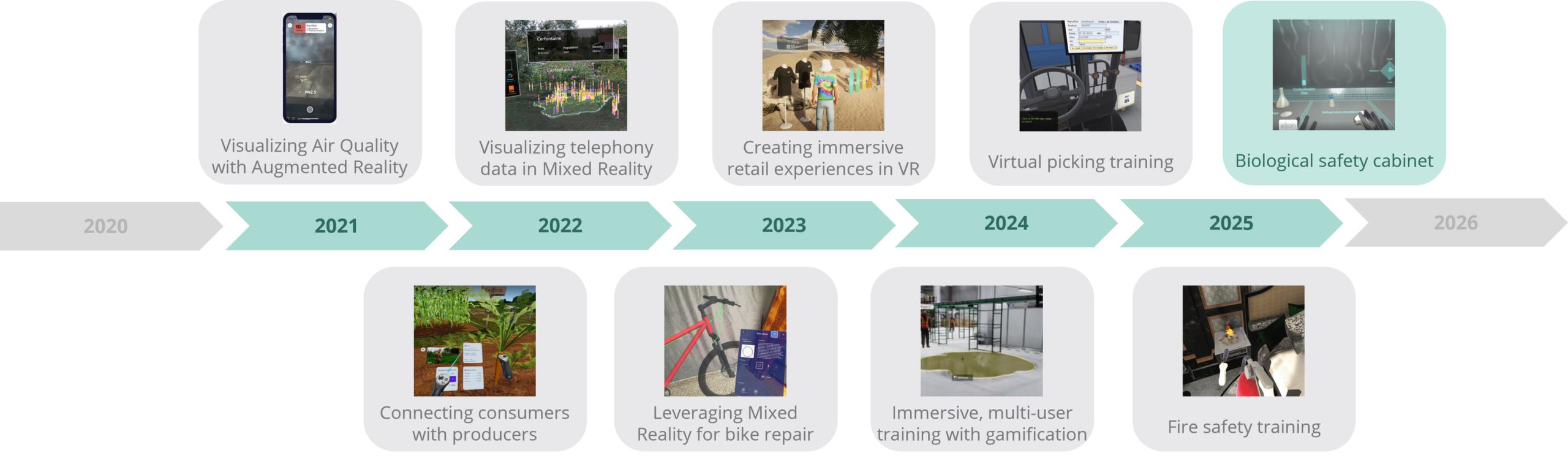
Next projects to be revealed soon…
The problem: training on the invisible
In 2025, we asked ourselves the following question: how do you train someone to work safely inside a biological safety cabinet when the most critical element, airflow, is completely invisible?
A biosafety cabinet is specialized laboratory equipment designed to protect both the user and the environment from hazardous biological materials. But its effectiveness depends entirely on proper technique: slow, deliberate movements; avoiding hand crossings; following precise procedural sequences. Get it wrong, and contamination spreads.
Traditional training relies on observation and repetition in the real world. It’s costly, risky, and difficult to scale. We needed a better way.
The solution: making airflow tangible
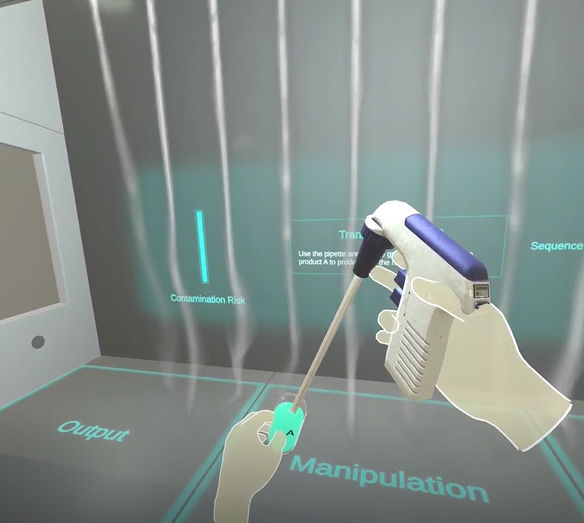
We built a VR simulation that made the invisible visible.
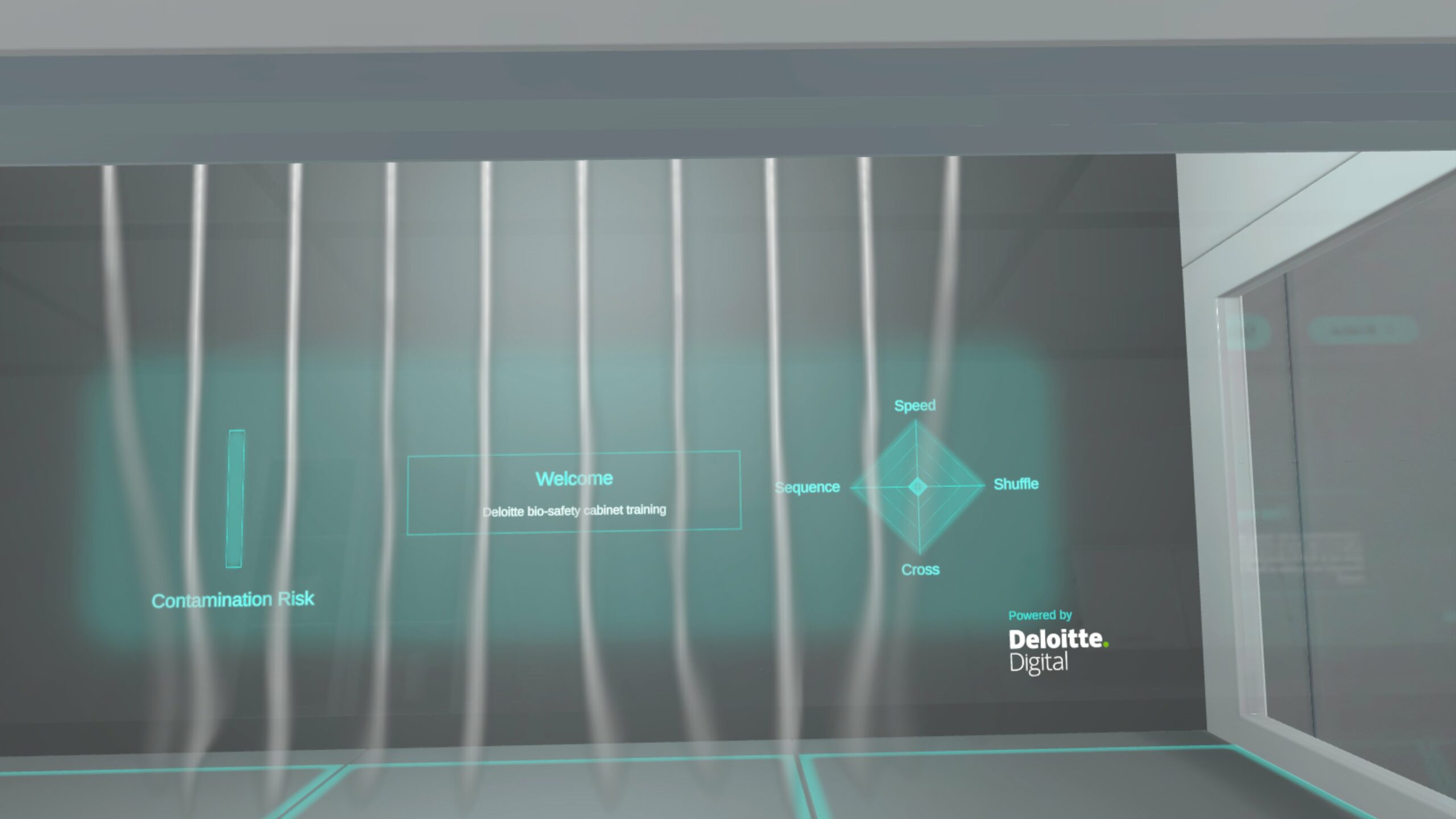
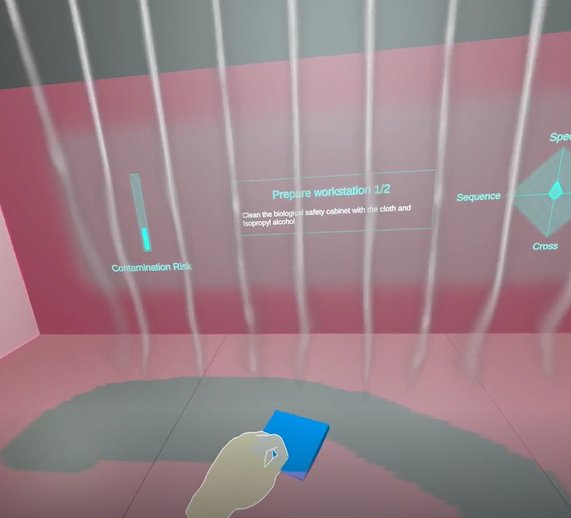
Users wore a Meta Quest headset and found themselves inside a photorealistic biosafety cabinet. Animated smoke columns descended from the top, responding in real time to hand movements. When users moved too quickly or crossed their hands, the smoke disturbance became visible, a direct, intuitive representation of how their actions disrupted the protective airflow.
A side-mounted spider chart provided real-time visual feedback on user performance, updating dynamically as they worked. The chart displayed multiple dimensions of safety compliance: movement speed, hand crossing violations, procedural sequence adherence, and contamination risk indicators. Each axis of the spider chart represented a critical safety parameter, with the filled area visually representing the user’s current performance state. When a user moved too quickly or committed an error, crossing their hands, deviating from the prescribed sequence, or creating contamination risks, the spider chart would immediately reflect the breach, with specific axes contracting or changing color to highlight the violation. This multi-dimensional feedback made abstract safety concepts concrete and measurable in real time. Users could instantly see not just that they made a mistake, but exactly which aspect of their technique was wrong. We gamified what is normally invisible: the airflow patterns, the consequences of improper technique, and the specific safety parameters that define safe biosafety cabinet operation.
The experience was designed for laboratory personnel with real-world biosafety cabinet experience. But we also wanted it to work for trainees with no prior VR exposure. What we discovered was striking: users who had never worn a VR headset before could immediately transfer their real-world skills to the virtual environment.
Not despite the novelty. Because of how we designed interaction.
The technical challenge: Performance vs. Realism
The central technical challenge was brutal: realistic fluid dynamics simulation requires enormous computational resources.
A fully physical simulation would have produced perhaps one frame per second on mobile VR hardware. Unusable. Nauseating. We needed at least 60 frames per second, ideally much higher, to avoid motion sickness.
This was the core trade-off: realism versus performance.
The solution came from research into 2D fluid simulation techniques. We implemented a performant 2D fluid simulation displayed on a single plane within the 3D environment. This created the visual impression of three-dimensional airflow while keeping computational cost manageable.
The smoke columns descended realistically. They displaced when hands passed through them. But here’s the trick: instead of simulating airflow throughout the entire 3D cabinet, we calculated everything on a single flat surface, like a vertical sheet positioned in front of the user. Computationally cheap, but visually convincing. It was clever engineering: the illusion of three-dimensional physics without the computational overhead.
Beyond the fluid simulation, we built a real-time feedback system that measured movement speed and validated procedural sequences. This was less technically demanding than the airflow simulation but equally essential to the training objective.
We also planned a cloud-based analytics system to record user performance data, allowing trainees to review their errors and trainers to identify specific areas of difficulty (speed control, particular manipulation types). This feature wasn’t implemented in the final version, but it represented our thinking about how training data could drive personalized feedback.
Applying what we had learned: Hand gestures in a new context
By 2025, we had already learned from previous projects that hand-based gesture recognition, without external controllers, was the right direction for immersive experiences. For instance, the bike repair mixed reality application had validated this principle: natural interaction patterns work better than artificial ones. Check out how we leveraged Mixed Reality for bike repair.
But the biosafety cabinet project tested this principle in a different context: training on safety-critical procedures.
We chose hand-based grab and pinch interactions, no remotes, no tutorials. Users with real-world biosafety cabinet experience could immediately perform familiar tasks using only their hands. The “wow effect” was real: people who had never used VR before found the experience intuitive because it mapped directly onto skills they already possessed.
What this project revealed was the breadth of that principle. Hand-gesture interaction wasn’t just effective for technical repair work, it was equally powerful for safety training, for procedural learning, for any domain where users brought real-world expertise. The more we applied it, the more we understood its fundamental strength: it removes the cognitive load of learning a new control scheme, letting users focus entirely on the task itself.
This became a cornerstone of our design philosophy going forward.
Then vs. Now: How the Landscape Shifted
If we were building this application today, many aspects would be faster.
Meta Quest has significantly improved hand recognition capabilities and manipulation features. Much of what we built from scratch is now available out of the box. The grab and pinch interactions we pioneered? Standard now.
The fluid simulation remains specialized and not yet commoditized. But newer simulation techniques have likely emerged, and improved hardware performance in current VR headsets would allow for more sophisticated airflow visualization.
What endures from this project is not the specific technical implementation, but the strategic direction it established: move away from controller-based interfaces toward natural, gesture-based interaction.
That shift has shaped everything we’ve built since. And it reflects a broader industry trend, just as AI has moved toward natural language interfaces, VR is moving toward hand-based and gesture-based interaction.
In 2025, we were ahead of that curve. The market has since caught up, validating the direction we chose.
The lasting impact
The grab and pinch interactions we developed here became standard patterns in our toolkit, reused across multiple subsequent applications.
But more than that: this project taught us something fundamental about how people learn in immersive environments. When you remove artificial barriers; controllers, tutorials, learning curves, and let people use their hands the way they already know how, magic happens.
That principle guides us still.

Quentin Rose
Senior Unity Developer