Since 2020, our team focussing on eXtended Reality (XR) at Deloitte Digital Belgium has been exploring the edges of immersive technology: experimenting, prototyping, and learning our way through a rapidly evolving landscape. With approximately 20% of our time dedicated to Research & Development, we’ve built a rich body of work that spans both client-driven projects and internal Proofs of Concept (PoC), reflecting not only technological progress but also the team’s growing intuition about what meaningful, human-centered XR can be.
This article is part of a chronological series that retraces the hidden side of that R&D journey: each article highlights one POC: the context in which it was created, the technology choices behind it, the challenges we faced, and the insights that shaped our next steps. Together, these stories reveal how experimentation fuels capability building.
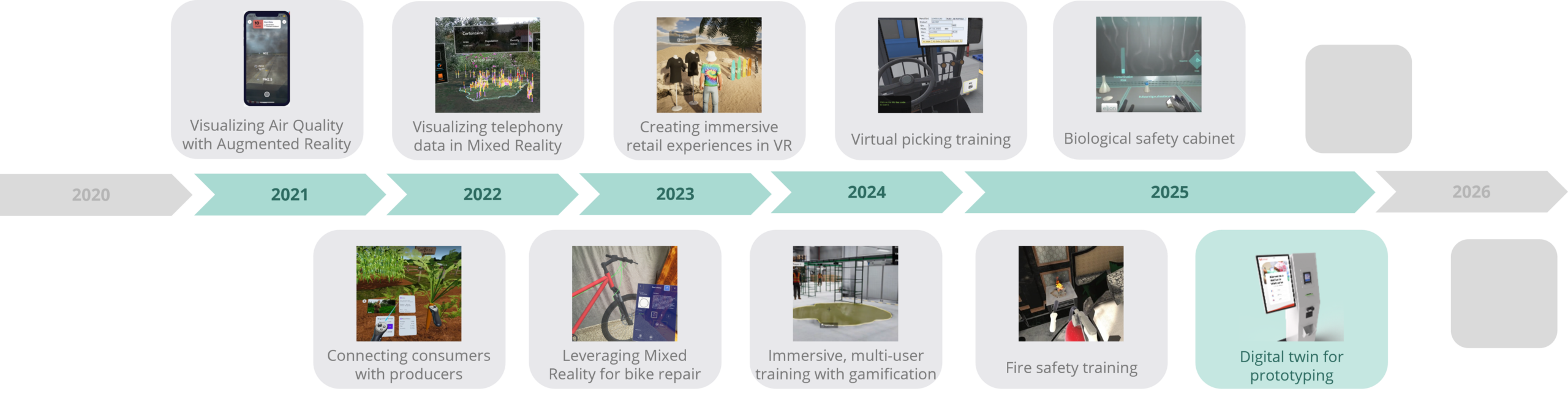
Next projects to be revealed soon…
The problem: Testing kiosks in cardboard
I recently responded to a message in our Teams channel looking for volunteers to test a hospital check-in system the team was developing. Curious to see it in action, I signed up. They had created an impressively effective physical prototype: a carefully constructed cardboard housing, with screens positioned in the right places and the proportions of the intended kiosk. It gave us something tangible to interact with and made the proposed experience easy to understand
After I finished the session, and thought back on it, something clicked. The screens were right. The flows were right. But the realism was missing. You couldn’t see how the kiosk would actually feel in the hospital entrance, how it would sit in the space and how visitors would move around it.
That’s when the idea came up: what if we could recreate this experience in Apple Vision Pro?
Not as a replacement for the lab. But as a complementary tool, one that could be deployed in the actual hospital entrance, showing stakeholders how the kiosk would feel in context, and gathering real-time behavioral data in the process.
Why this moment mattered
The opportunity was almost too obvious. The UX designer had already exported the screen designs in Figma. We had an existing relationship with Cognitive Analytics, whose heat map tracking system could visualize user interaction patterns in real time.
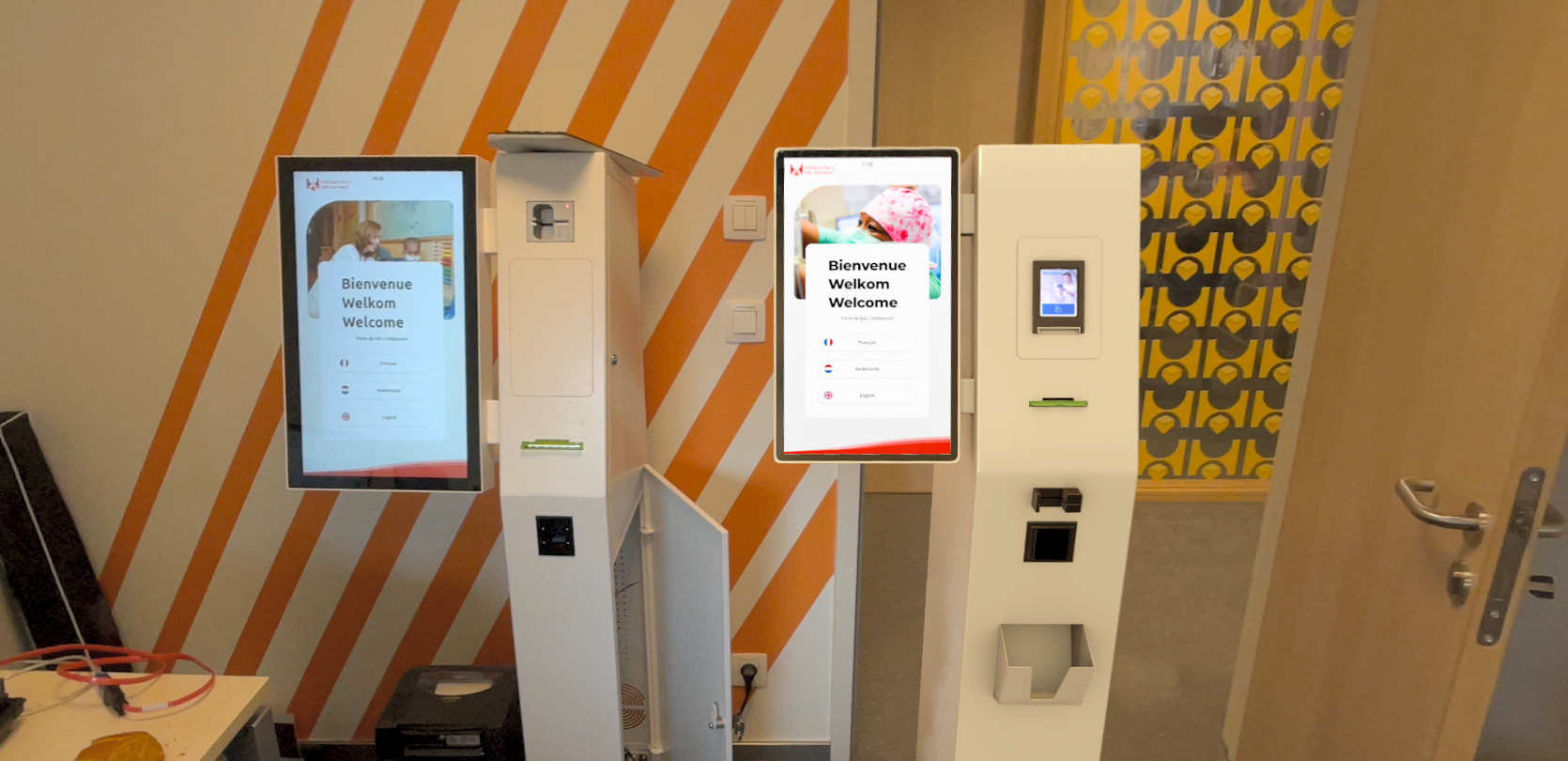
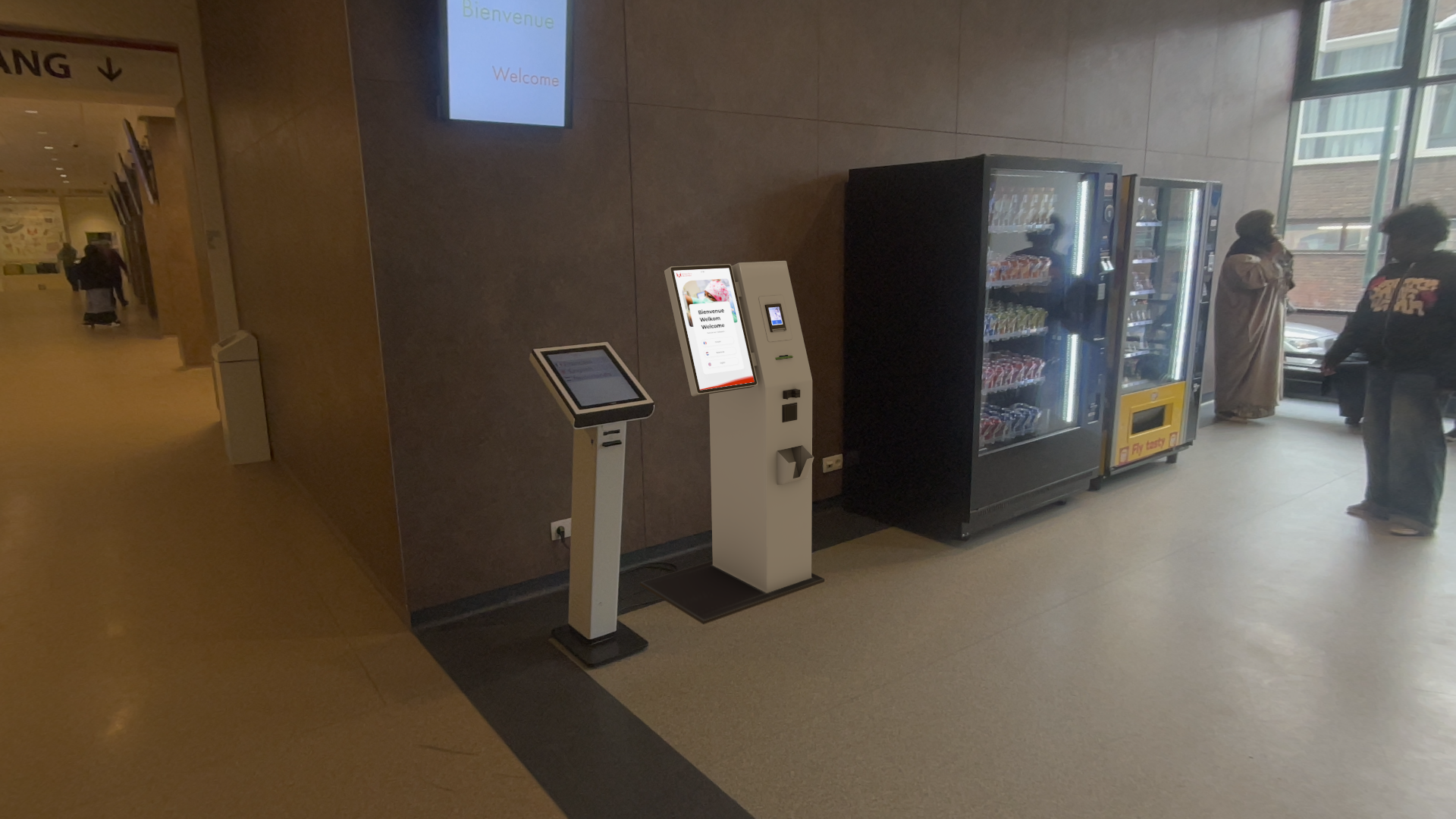
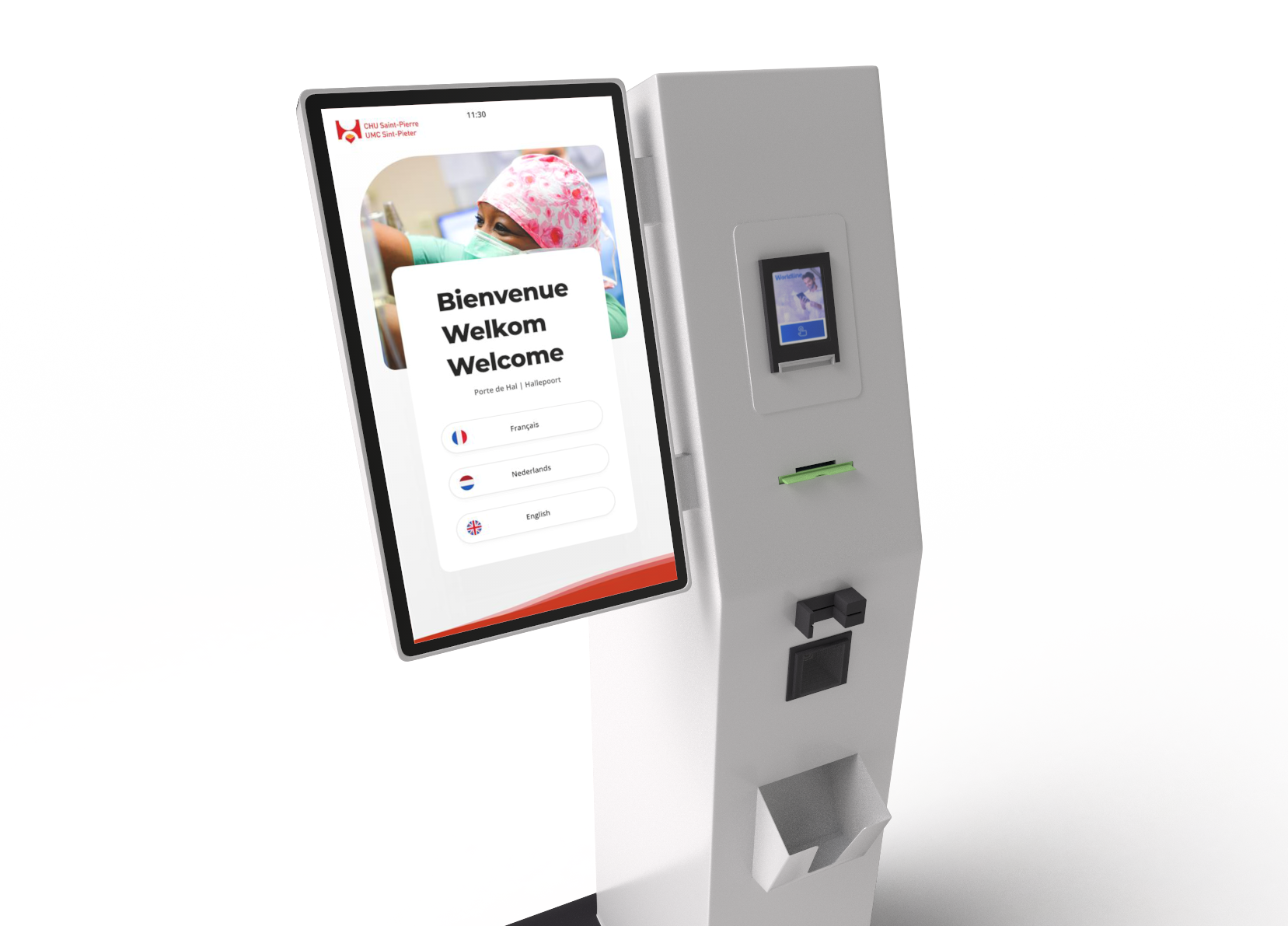
In one single day, we made a photorealistic 3D replica of the kiosk hardware. We positioned it in the hospital’s real entrance environment and wired up the interactive flows. The result was something neither a cardboard mock-up nor a traditional UX lab could offer: a spatial prototype that could be experienced in situ, in the actual place where it would live.
The architecture: Hybrid tools, clear seperation
We built the experience using using Unity’s Polyspatial framework for spatial computing on Vision Pro. The choice was pragmatic: Unity + Polyspatial allowed us to rapidly export Figma designs and integrate them into a 3D environment without starting from scratch.
The workflow was efficient:
- 3D modeling: A morning spent replicating the kiosk in Blender and Substance painter to texture in a photorealistic way.
- UI integration: Figma designs were exported directly into the spatial environment
- Interactive flows: Afternoon putting everything together in Unity, interactive flows, buttons, screen transitions and simulated card insertion prompts which matched the actual design
- Analytics layer: Cognitive Analytics’ heat maps tracked where users looked and moved in real time
The real innovation came from that last piece. Rather than relying on traditional eye-tracking metrics which are generally limited to the screen, we could visualize user interaction patterns overlaid directly onto the spatial environment. This gave us a way to compare XR-based testing against the established UX lab’s capabilities, head-to-head.
The trade-off: Fidelity vs. precision
The comparison revealed something important: there’s no perfect tool. Only the right tool for the job.
Our UX lab uses Tobii eye-tracking systems, which provide very fine-grained gaze data, precise enough to catch micro-interactions and attention patterns. Vision Pro has eye tracking built in, but Apple doesn’t expose the raw gaze data to developers. We could see general interaction patterns through heat maps, but we couldn’t match the lab’s precision.
Alternative headsets like certain Pico models offer Tobii integration, but at a cost: rendering quality drops significantly. You gain precision, but you lose realism.
This is the classic XR trade-off, and it’s worth stating clearly: there is no single best platform. There are only platforms optimized for different goals.
For fine-grained eye-tracking analysis of screens, the lab remains superior. For contextual validation, stakeholder visualization, and understanding visitor flow in the actual space, XR offers something labs cannot.
Why it feels so real: Presentation of the artistic side
The vision pro is a serious piece of hardware equipped with great sensors and rendering technology. When art assets are crafted with care, few platforms can showcase their realism more convincingly.
Vision Pro’s ambient lighting system samples real-world lighting and blends it with virtual objects, making the kiosk feel genuinely embedded in the hospital entrance rather than floating in space. Similar technologies handles ambient sound and reverb, creating spatial audio that grounds the experience.
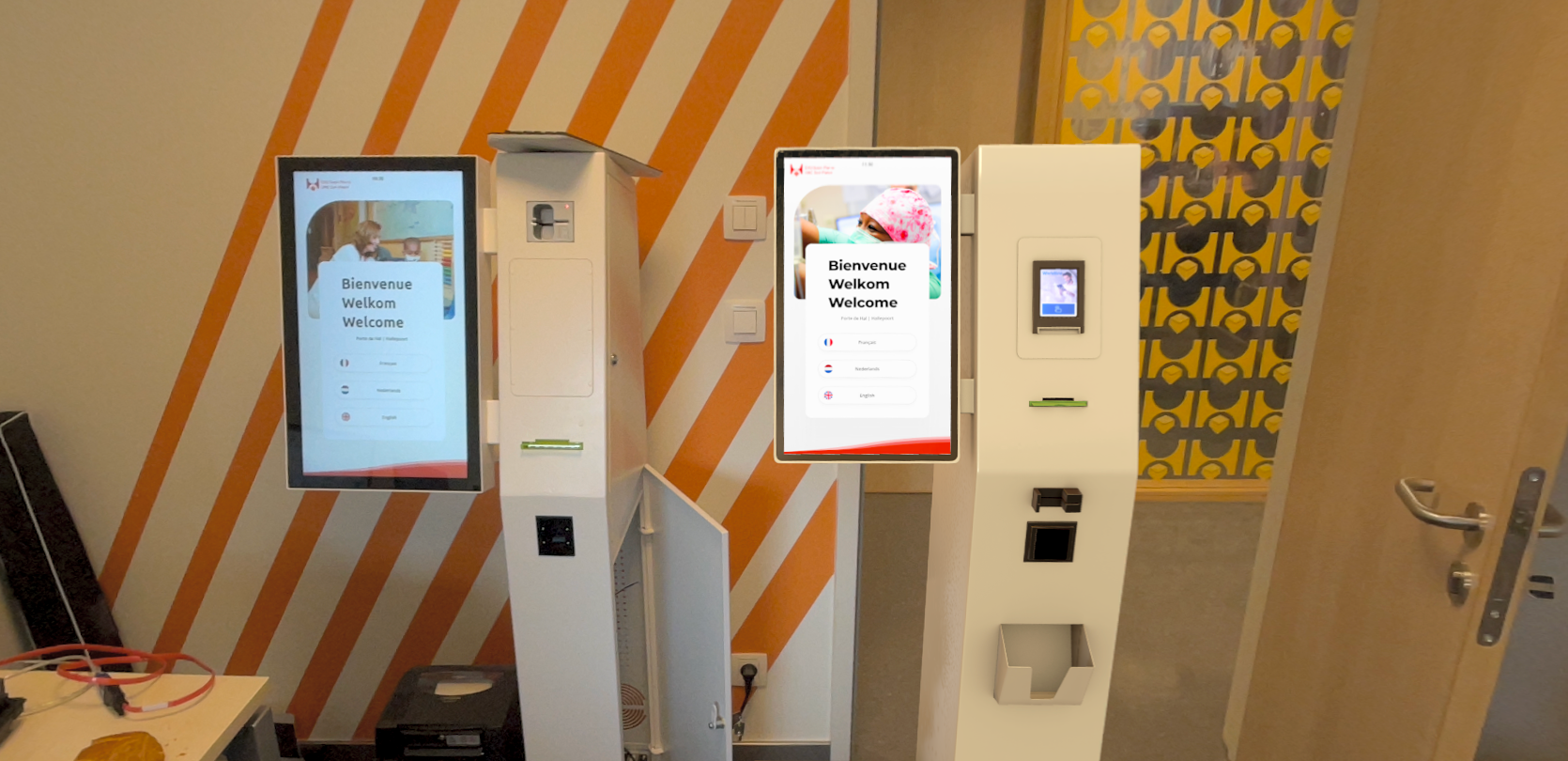
These details, invisible to the user but felt deeply, made the difference between a prototype and something that felt real. When we positioned the virtual kiosk next to the physical mock-up, they looked almost identical. The lighting was right. The presence was right. The sense of place was right.
This became a key insight: realism isn’t just about polygon count or texture resolution. It’s about how light and sound anchor an object to its environment.
Impact: Validating a new methodology
The project didn’t replace the UX lab. It wasn’t meant to.
Instead, it established something more valuable: a methodology for asking the right question. When should we use XR for testing? When should we stick with traditional approaches? The answer depends on what you’re trying to learn.
For fine-grained eye-tracking analysis, the lab remains superior. For contextual validation, stakeholder visualization, and understanding visitor flow in the actual space, XR offers something labs cannot.
Discoveries we’d previously have missed. Once we built a full-scale replica of the kiosk, people interacted with it as they would with the real machine—and that exposed pain points the earlier prototypes had not revealed. One concrete example was the card-reading area: several participants tried to insert their ID cards into the wrong slots. The issue was not with the underlying flow, but with how the physical interface communicated where the card should go. Because we could observe that behavior in a realistic setting, the team was able to make practical changes to the kiosk’s presentation, making the correct action clearer before the design moved further toward production.
How we’d build it today
With Vision Pro more mature and developer tools more sophisticated, we’d approach this differently:
- Deeper analytics integration: We’d push harder on embedding Cognitive Analytics into the experience, not as an overlay but as a core feedback loop
- Formal user testing: We’d conduct structured testing sessions with the client, not exploratory prototypes
- Real-time iteration: We’d use heat map data to inform design changes in real time, closing the feedback loop between testing and design
The team’s experience with Cognitive Analytics on this project has influenced how we think about embedding analytics into immersive experiences, a pattern we’ve carried forward into subsequent work.
The lasting lesson: rapid spatial prototyping
More broadly, the CHU kiosk project validated a capability that has become central to our practice: rapid spatial prototyping.
The fact that we could move from concept to a photorealistic, interactive, in-situ prototype in a single day demonstrated something important: XR isn’t just for final experiences. It’s a powerful tool for design exploration and validation.
That insight has shaped how we approach client projects and internal R&D ever since.
Collaboration across disciplines
The project also reinforced something less obvious but equally important: the value of clear communication between XR developers and traditional UX teams.
What can Vision Pro do? What can’t it do? Where does it excel compared to established tools? Where does it fall short? These conversations, honest, specific, grounded in real constraints, proved essential.
It’s a lesson that remains relevant as we continue exploring new platforms and methodologies. The best immersive experiences don’t come from XR teams working in isolation. They come from XR developers and traditional UX practitioners understanding each other’s capabilities, limitations, and strengths.
This project was a small proof of concept. But it taught us something that shaped everything that came after: experimentation fuels capability building. And capability building requires collaboration across disciplines.
Clyde Pashley
Lead 3D modeling & Unity development