Since 2020, our team focusing on eXtended Reality (XR) at Deloitte Digital Belgium has been exploring the edges of immersive technology: experimenting, prototyping, and learning our way through a rapidly evolving landscape. With approximately 20% of our time dedicated to Research & Development, we’ve built a rich body of work that spans both client-driven projects and internal Proofs of Concept (PoC), reflecting not only technological progress but also the team’s growing intuition about what meaningful, human-centered XR can be.
This article is part of a chronological series that retraces the hidden side of that R&D journey: each article highlights one POC: the context in which it was created, the technology choices behind it, the challenges we faced, and the insights that shaped our next steps. Together, these stories reveal how experimentation fuels capability building.
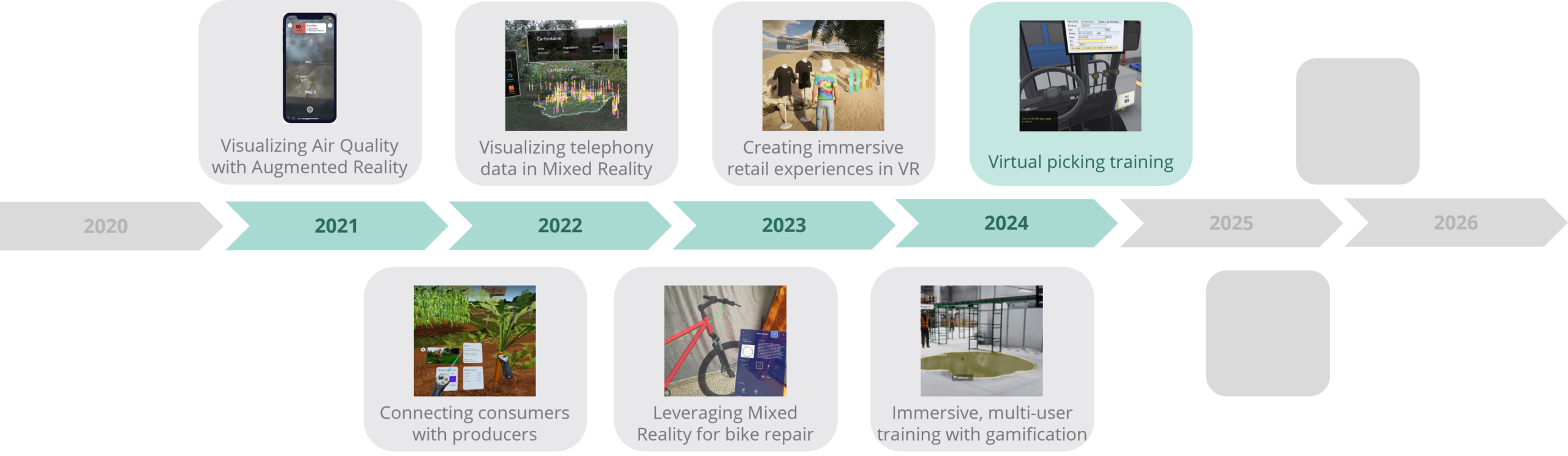
Next projects to be revealed soon…
The project
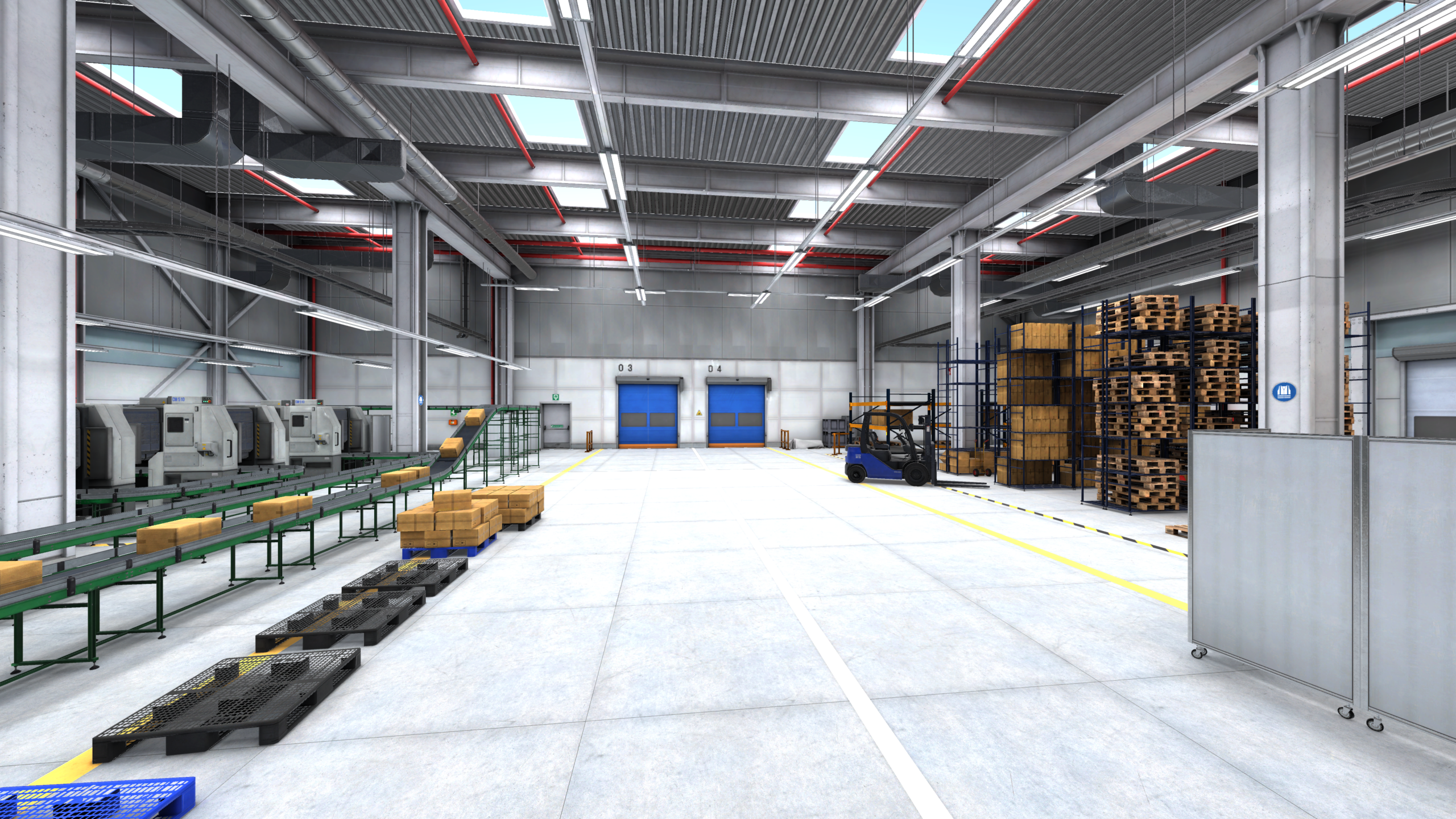
We had built a collaborative hazard spotting experience that began on desktop and was later adapted to VR headsets. (If you haven’t read that story yet, check out “Immersive, multi-user training with gamification” to see how that project shaped our thinking about collaborative learning.) The 3D warehouse environment we created for that work proved valuable enough to reuse.
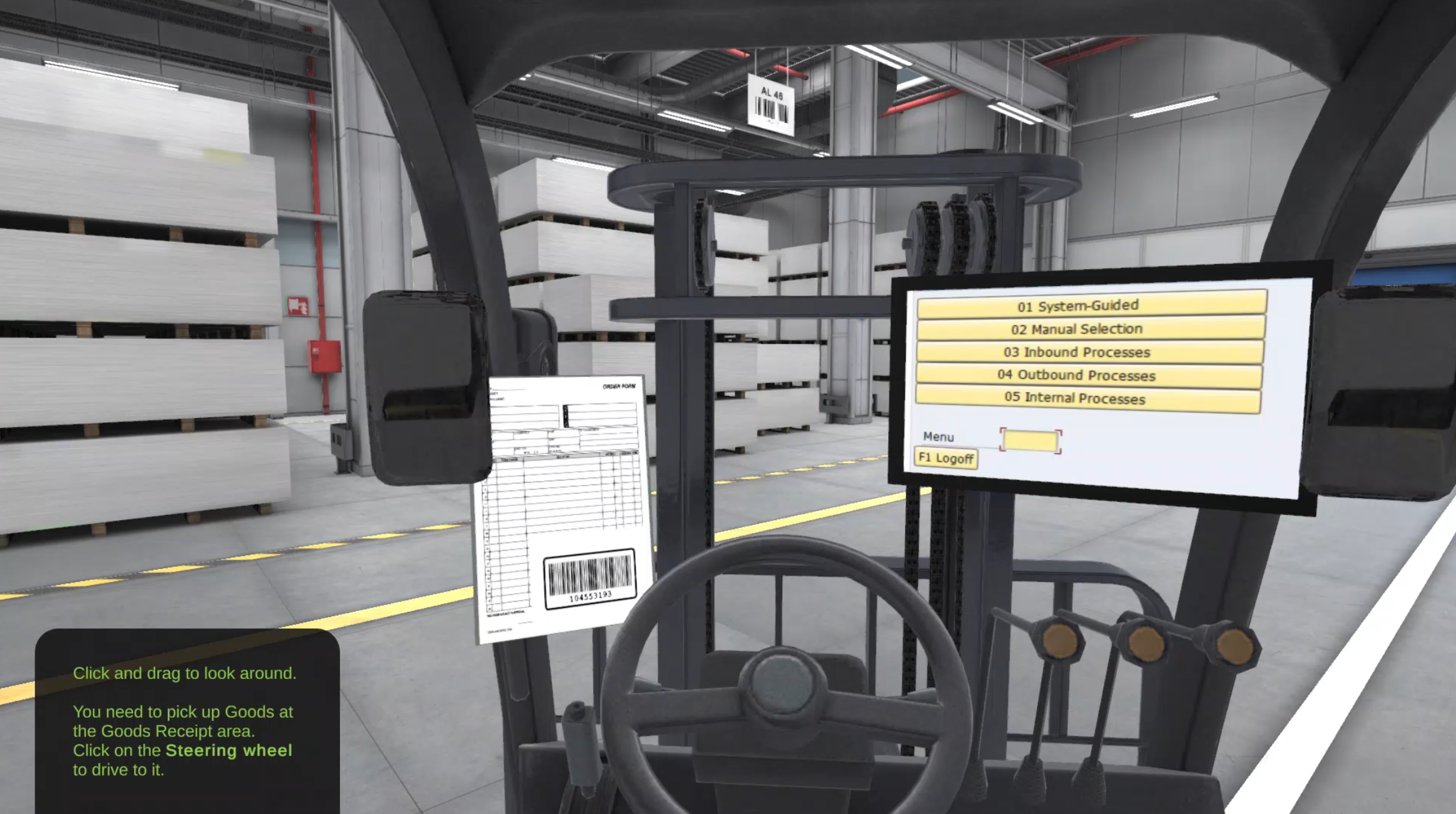
Later, a logistics warehouse client implementing a smart package tracking solution needed training for their forklift drivers on new scanning and order-picking procedures. Rather than starting from scratch, we returned to that proven 3D warehouse environment for this new proof of concept. But this time, the client had no VR headsets available. So we adapted the experience back to desktop. The Virtual Picking Training became a desktop experience: users sat at a computer, navigated a 3D warehouse from the perspective of a forklift operator, and completed realistic training workflows. They received digital order tickets (mirroring the paper tickets used in the actual warehouse), scanned QR codes and barcodes by clicking the mouse, and followed step-by-step guidance to assemble orders correctly. The interface was simple, look around with the mouse and click to interact, but it preserved the core value: safe, procedural learning without operational pressure.
Technical decisions & learning
The project was deliberately straightforward. We reused the 3D warehouse environment from the hazard spotting project, the same asset that had already proven itself on both desktop and VR. The technology stack wasn’t groundbreaking, a 3D environment running on desktop, with mouse-based interaction, but the constraints shaped our approach in useful ways.
The interesting challenge was the reverse of what we might have expected: we weren’t translating a VR experience down to desktop. Instead, we were returning to desktop after the VR iteration, which meant rethinking how to make the experience engaging without the immersive envelope that headsets provide. Users navigated the warehouse from a forklift operator’s perspective, looked around with the mouse, and clicked to interact with objects. The step-by-step guidance became even more critical, without spatial presence, clear direction kept users engaged and on track.
The team discovered something valuable about reusability: building flexible 3D environments that could serve multiple purposes, VR risk training, desktop procedural training, potentially other contexts, was worth the upfront investment. It also reinforced the importance of collaborating across teams. Working with the smart package tracking solution team meant understanding their hardware constraints early and designing accordingly, rather than building in isolation.
ERP Integration
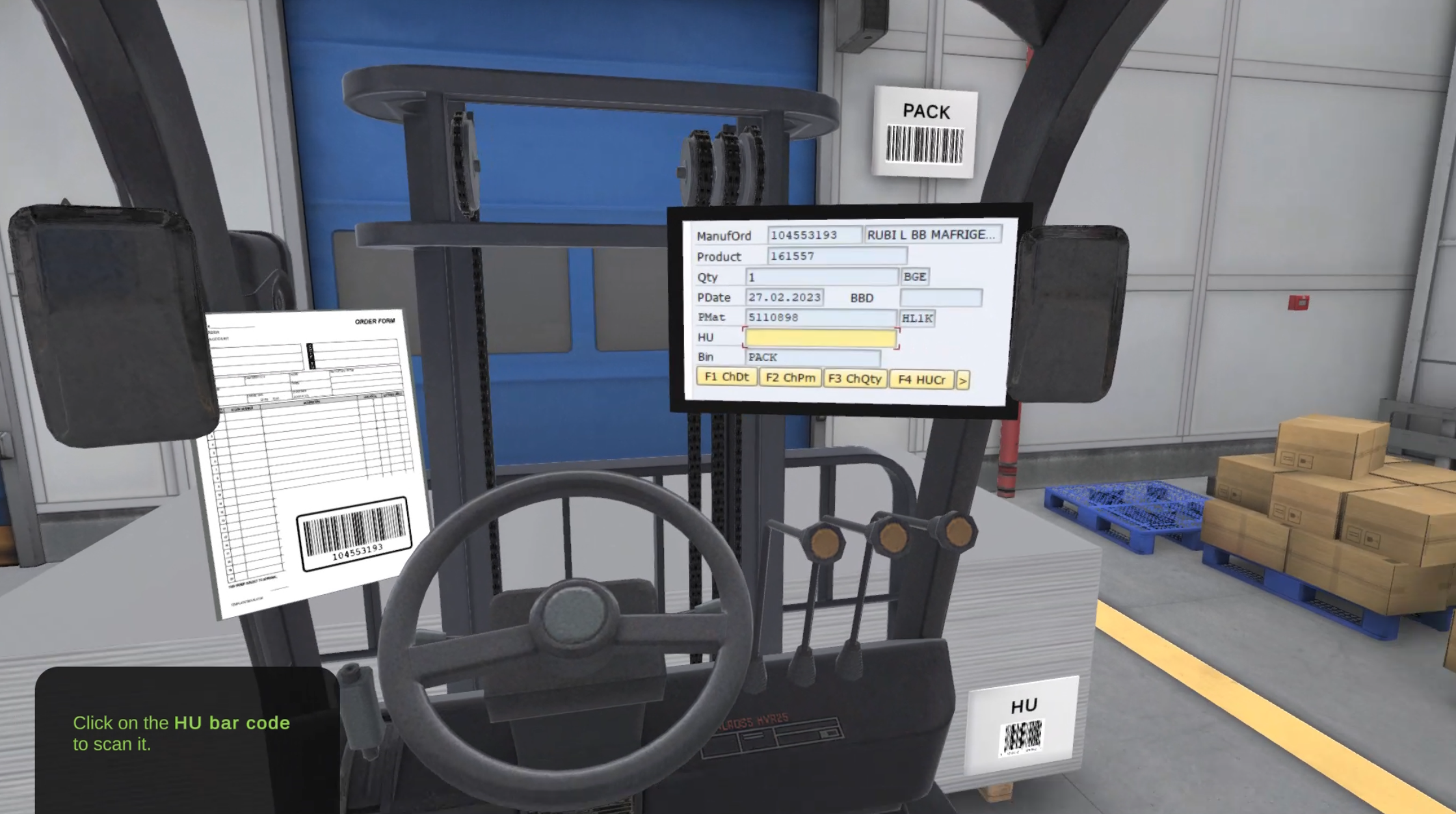
At the heart of the training lay a critical implementation: we embedded ERP software workflows directly into the 3D warehouse environment. Rather than asking trainees to toggle between a warehouse simulation and a separate ERP interface, we created a unified experience where the ERP system appeared as a virtual tablet that users could interact with while navigating the physical space. This virtual tablet displayed real order data, inventory information, and task assignments, mirroring the actual ERP screens warehouse staff would encounter on the job.
The scanning device was equally integrated. Trainees used a virtual handheld scanner within the 3D environment to capture QR codes and barcodes on packages and shelves. Each scan triggered authentic ERP interactions: confirming stock locations, updating inventory status, and logging order fulfillment steps. The system provided immediate feedback, showing whether the scan was valid, whether the item matched the order, and what the next step should be. This closed-loop interaction meant trainees weren’t just learning warehouse navigation, they were learning the precise sequence of ERP operations they’d perform in production, without the pressure of real operational demands.
The 3D environment itself became the context that made the ERP training stick. Instead of abstract screens in a classroom, trainees saw the warehouse layout, understood spatial relationships between picking zones, and experienced the workflow as a continuous journey: receive order on tablet → navigate to location → scan item → confirm in ERP → move to next location. This contextual learning reduced cognitive load and made the procedural steps feel natural and purposeful.
Impact & evolution
What did stick was the insight about platform flexibility. The project showed that immersive training value isn’t locked to a specific technology, it’s about clear visualization and guided practice. That thinking influenced how we approached subsequent projects: building with modularity in mind, designing for multiple platforms, and staying pragmatic about constraints.
If we were to rebuild this experience today, the answer is obvious: deploy it on modern VR headsets, particularly Vision Pro. The core concept remains sound, but the technology has evolved dramatically. We could deliver the same training workflow with significantly higher visual fidelity, better spatial presence, and more realistic interaction. The desktop version was a bridge, a way to prove the concept worked.
But there’s a deeper lesson here. The Virtual Picking Training succeeded not because it was technically ambitious, but because it solved a real problem. It took an existing capability, adapted it to real constraints, and delivered something useful. In a field obsessed with what’s possible, sometimes the most valuable work is figuring out what’s practical. That pragmatism, paired with willingness to experiment, became part of how our team thinks about immersive technology.

Quentin Rose
Senior Unity Developer